Build your back-office in minutes, not weeks
Connect your database and get a complete admin panel for your team: data explorer, dashboards, custom actions and permissions. The Data API runs on your servers, so your data stays yours.
No credit card · See how it works
- PostgreSQL
- MySQL
- SQLite
- MongoDB
Trusted by 1,000+ teams






We use it ourselves: Adminmate runs Penida, our Shopify App Studio powering 22,500+ shops across 85+ countries.
How it works
Your data never leaves your infrastructure
Adminmate is split in two. We host the Dashboard, you host the Data API next to your database. They talk over an encrypted channel secured by keys only you hold.
Dashboard
app.adminmate.io
The UI your team uses. Hosted by Adminmate in the EU.
Data API
Node.js · your servers
Protected by your authKey, masterPassword and optional IP allowlist.
Your database
SQL or MongoDB
Queried through Sequelize or Mongoose. Never copied, never stored by us.
- 01
Create a project
Sign up on app.adminmate.io, name your project and pick your database type. You get a project id and a secret key.
- 02
Generate your Data API
The installation command asks for your database credentials and generates the Data API code for you.
- 03
Run it
Install the packages and start the API. Your back-office opens at app.adminmate.io/your-project-slug.
$ npm install$ npm start
Features
A win-win for developers and the whole team
Developers stop maintaining internal tools. Support, ops and sales stop waiting on the tech team.
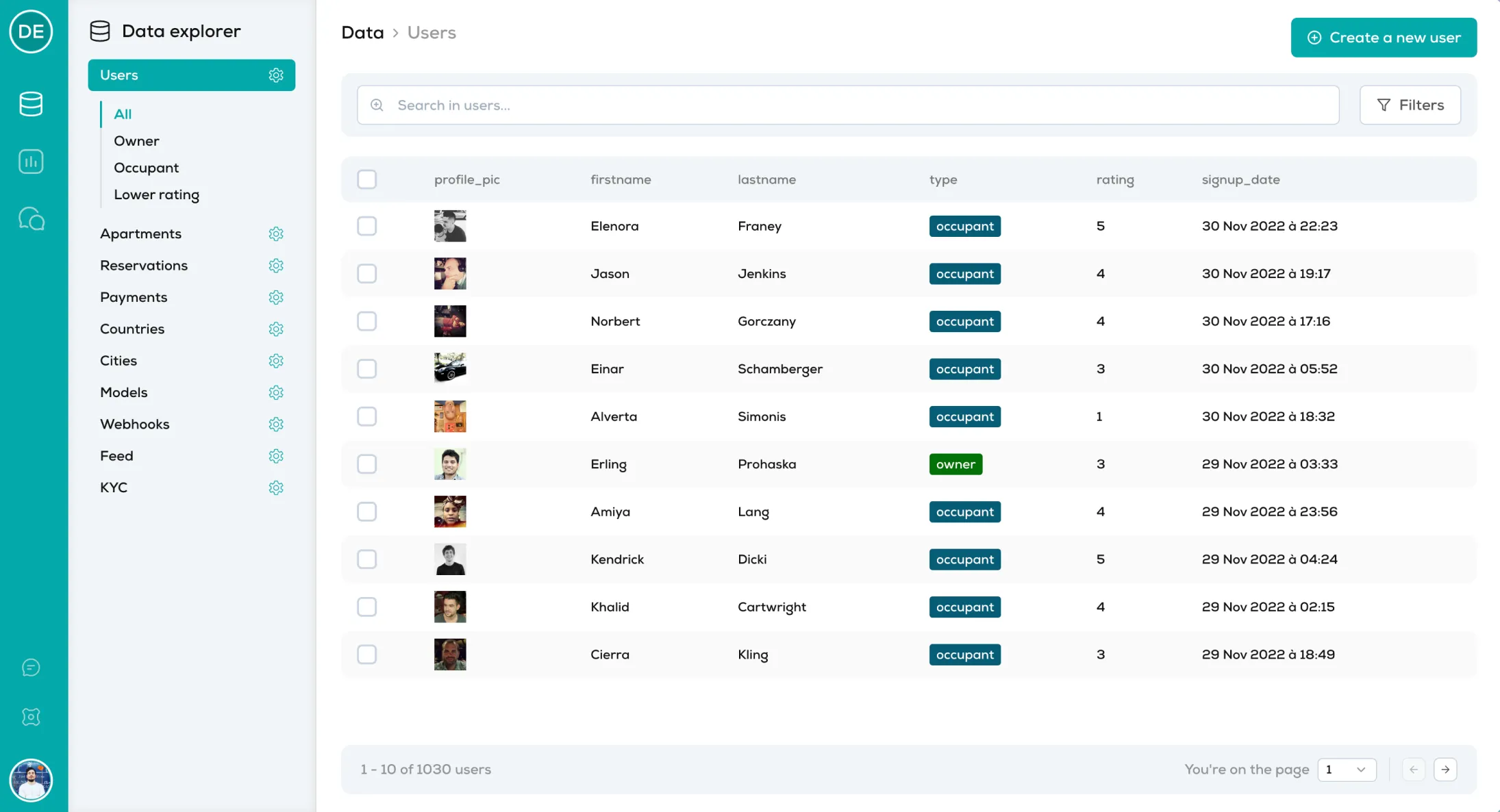
01 / Data explorer
Finally find the data you are looking for
Access and manage every table and collection of your database from one place.
- Search & filters on any field
- Update & delete records
- Custom data segments, in code
- Business actions, in code
02 / Dashboards
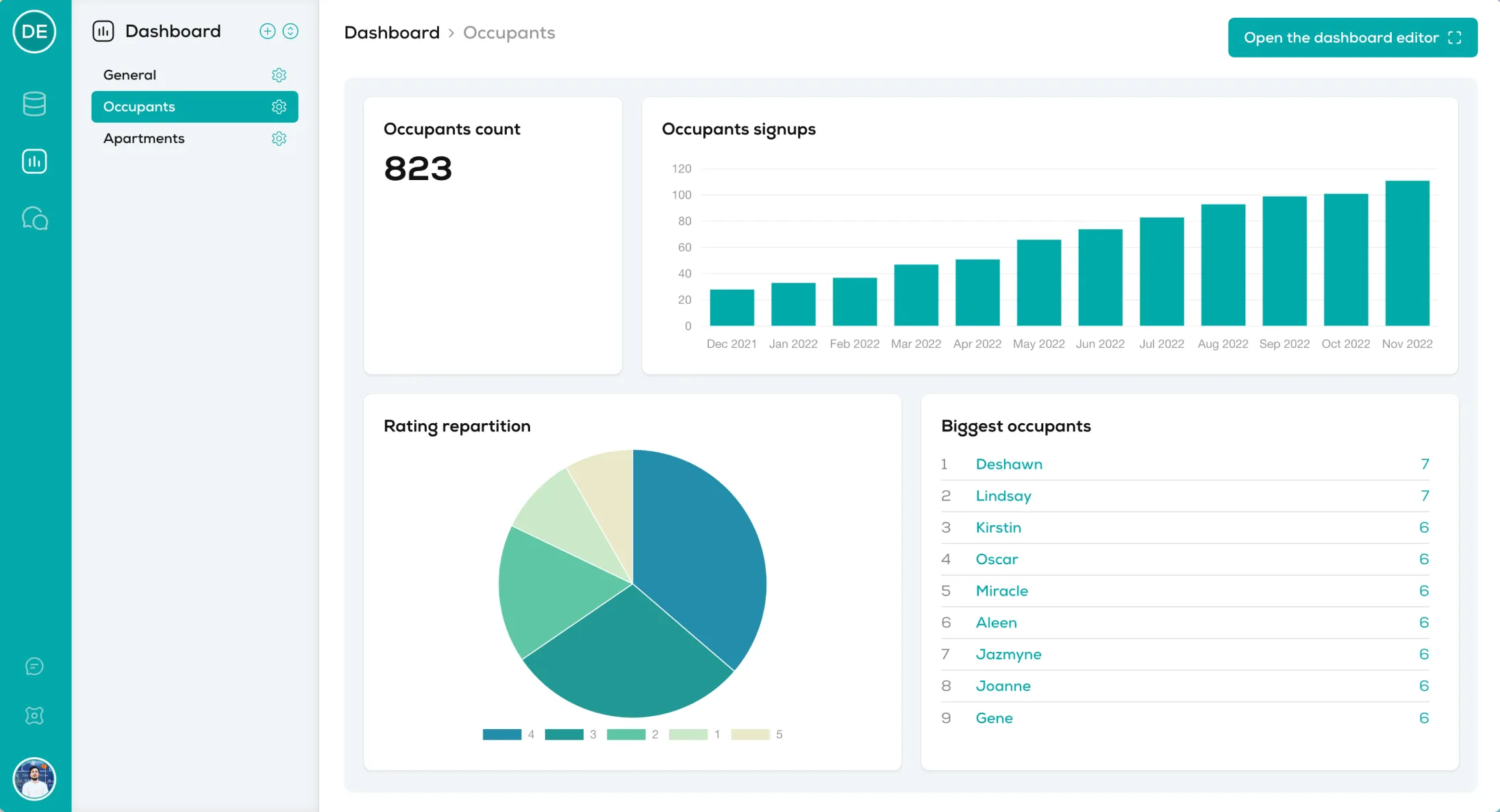
Visualize your key metrics
Make better decisions by putting your business numbers in front of the whole team.
- Unlimited dashboards & charts
- Pre-configured charts from the UI
- Custom charts from your own code
- Access control per team & partner
03 / Collaboration
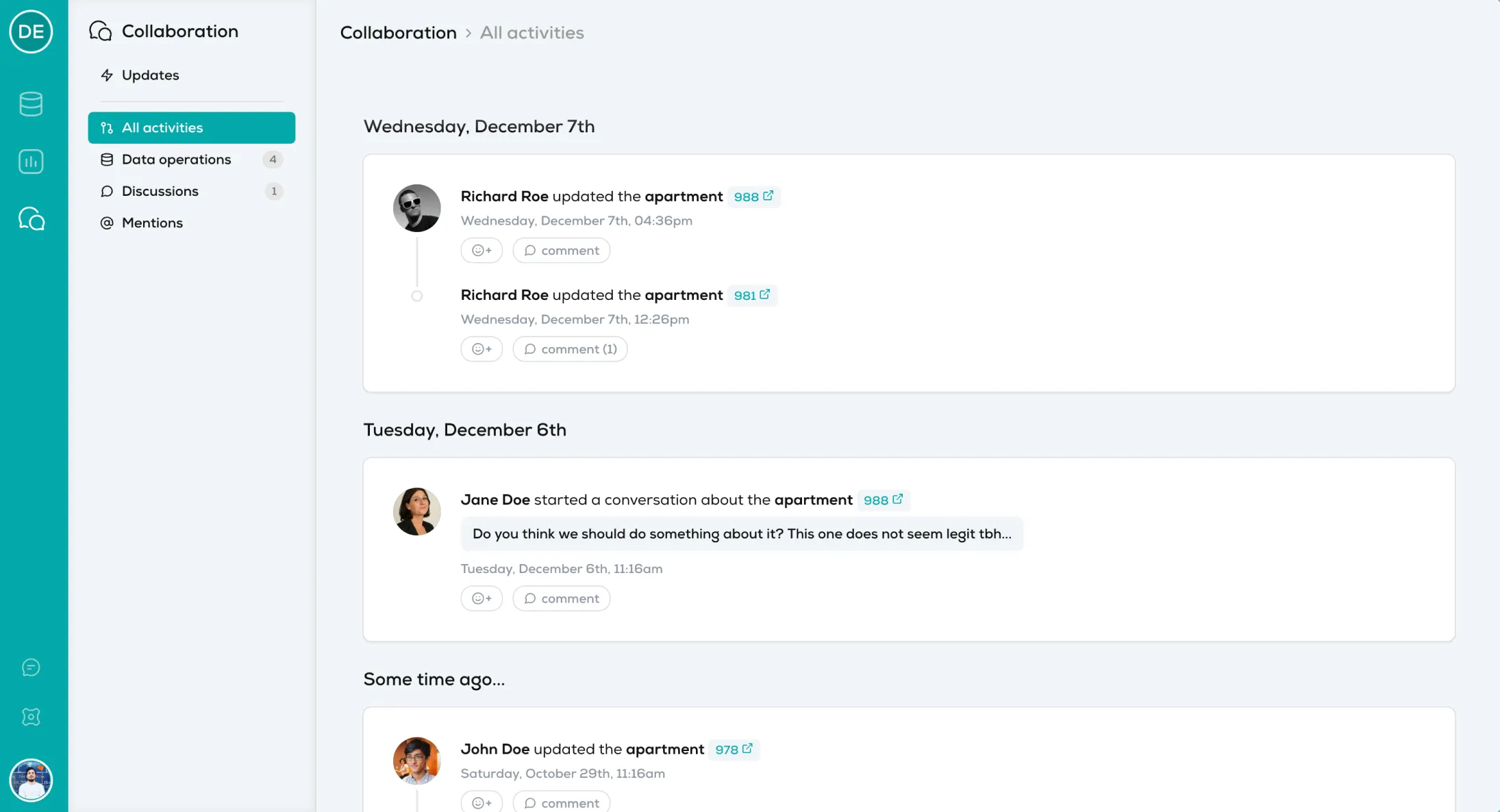
Work on your data as a team
Follow everything that happens on your data from the back-office, and discuss it in context.
- Track and review your team’s work
- React & comment on activities
- Ask questions, mention teammates
- Filter by type of activity
Code when you need it
A back-office that lives in your codebase
Everything works out of the box from your models. When your business needs more, extend it in one config file, versioned with the rest of your app.
- Plain JavaScript
- No DSL, no proprietary query language. Reuse your Sequelize or Mongoose models.
- Segments & actions
- Saved queries and one-click business operations, on one item or in bulk.
- Guard rails
- Disable updates or deletes per model, allowlist IPs, scope permissions per team.
module.exports = {
  projectId: process.env.AM_PROJECT_ID,
  secretKey: process.env.AM_SECRET_KEY,
  authKey: process.env.AM_AUTH_KEY,
  masterPassword: process.env.AM_MASTER_PWD,
  models: [
    {
      slug: 'users',
      model: models.users,
      options: { canDelete: false },
    },
  ],
  authorizedIps: ['203.0.113.42'],
};
{
slug: 'users',
model: models.users,
segments: [
{
label: 'Last week signup',
code: 'last_week_signup',
query: {
created_date: {
$gte: global._moment().subtract(1, 'week')
}
}
}
]
}{
label: 'User KYC Validation',
code: 'kyc_validation',
target: ['item', 'bulk'],
filter: user => user.is_kyc === false,
handler: async ({ ids }, success, error) => {
const user = await UserModel.findById(ids[0]);
if (!user) {
return error({ message: 'User not found' });
}
user.is_kyc = true;
await user.save();
success({ message: 'Successfully updated the user!' });
}
}Everything included
All the features you need. Nothing to pay for.
No plans, no paywalled features, no credit card.
Data explorer
Browse and search every table and collection of your database.
Multiple projects
Your company app and your side projects, all in one account.
CRUD
Create, read, update and delete records from a clean UI.
Segments
Pre-configured subsets of your data, defined in code.
Filters
Combine filters on any field to find the right rows.
Custom actions
Run your own business logic on one or many items.
Dashboards
Unlimited dashboards for your key business metrics.
Charts
Build charts from the UI, or feed them with custom code.
CSV export
Export any list or segment in one click.
Environments
Point to local, staging and production Data APIs.
Teams
Invite as many teammates and partners as you want, organized in teams.
Team-based permissions
Decide who can read, update or delete, per team.
Activity log
Track every change made to your data from the back-office.
Collaboration
Comment, react and mention teammates on activities.
Price
$0
Every feature above, for your whole team.
Compatibility
Works with the database you already have
PostgreSQL
via Sequelize
MySQL
via Sequelize
SQLite
via Sequelize
MongoDB
via Mongoose
“Adminmate saved us a huge amount of time we have been able to invest in our product instead.”

Laurent
CEO of Awesome Lab
“I would be lost without Adminmate. Thanks to Adminmate, I can manage over 10 different businesses databases for my agency from the same place.”

Maëlys
CEO of EOS Agency
“Adminmate made my backoffice development painless, pleasant and most of all hassle free! It is a life changing solution for me.”

Anael Otge
Founder of Otge Consulting
FAQ
Questions developers ask us
Is Adminmate really free?
Yes. Every feature — custom actions, teams, team-based permissions, activity log and collaboration included — is free. There is no paid plan and no credit card to enter.
Do you have access to my data?
No, never. Adminmate is split in two parts: the Dashboard, hosted by us, and the Data API, which you deploy on your own servers. Reading your data requires two passwords: your own password, stored on Adminmate, and the master password, stored on your server. Even if we wanted to, or if our servers were breached, we could not access your data.
Which databases are supported?
MySQL, PostgreSQL and SQLite (through the Sequelize ORM) and MongoDB (through Mongoose). More databases are on the way.
How do I lock down access to the Data API?
Out of the box, requests are authenticated with your authKey and masterPassword. You can add native IP filtering with an authorizedIps allowlist, and restrict updates or deletes per model or per team.
Can I customize the back-office with code?
Yes. Segments, custom actions and custom charts are plain JavaScript in your config/adminmate.js file, so you can reuse your own models and business logic.
Do you provide customer support?
Yes. Reach us through the live chat at the bottom right of the page, or by email at [email protected]. The documentation covers installation and configuration.
Ship your back-office today
Connect your database, invite your team, and get back to building your product.